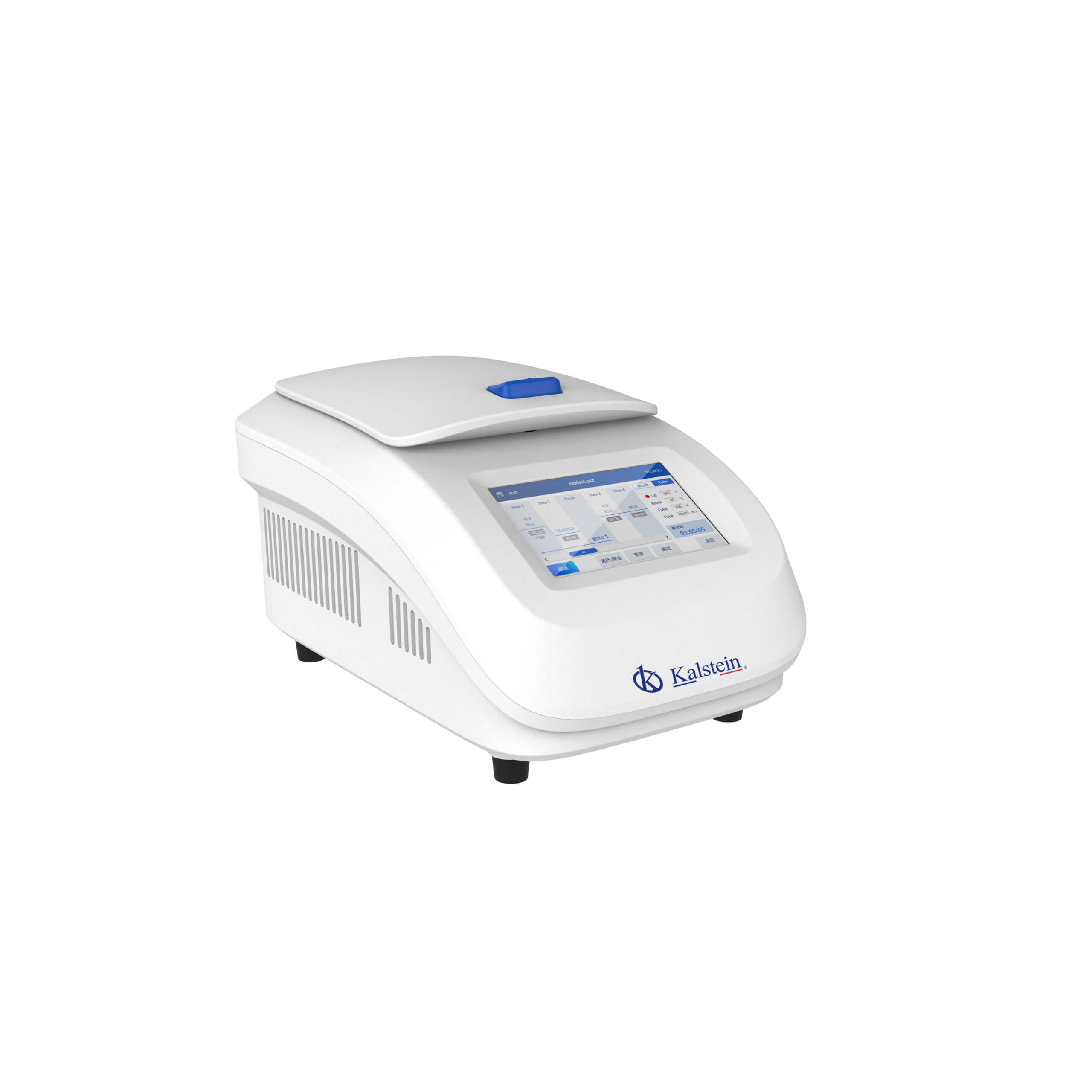
Troubleshooting Common Errors with the YR05889 Heated Lid Dry Bath Incubator
The YR05889 Heated Lid Dry Bath Incubator is a vital instrument in many laboratory settings, providing precise temperature control for various applications such as DNA amplification, protein denaturation, and sample preservation. However, like any sophisticated equipment, it may encounter errors that can disrupt its functionality. This article serves as a comprehensive guide to understanding and troubleshooting common issues associated with the YR05889, allowing operators to maintain its performance.
Understanding the YR05889 Heated Lid Dry Bath Incubator
The YR05889 is a microcomputer-controlled incubator that boasts advanced semiconductor technology, specifically Peltier-based heating and cooling mechanisms. This design allows for rapid temperature adjustments and high precision, making it suitable for critical laboratory procedures. The incubator features a user-friendly touch screen interface that displays both temperature and time, facilitating easy adjustments and monitoring.
Technical Specifications of YR05889
| Specification | Details |
|---|---|
| Model | YR05889 |
| Voltage | AC 100~240V, 50/60Hz |
| Block Temperature Range | R.T. -25℃ ~100℃ |
| Cover Temperature Range | R.T. +5℃ ~110℃ |
| Timer | 1 s~99 min 59 s (0 means infinite) |
| Block Temperature Accuracy | ±0.5℃ |
| Cover Temperature Accuracy | ±1.0℃ |
| Temperature Uniformity | ±0.5℃ |
| Heating Speed (R.T. 25℃) | 37℃ -100℃ ≥ 7℃ /min |
| Cooling Speed | 100℃ -37℃ ≤ 8℃ /min |
| Max. Steps | 10 |
| Max. Cycles | 99 |
| Max. Power | 200W |
Common Symptoms and Troubleshooting Strategies
Understanding the symptoms of potential issues with the YR05889 is crucial for effective troubleshooting. Below is a table outlining common symptoms, their probable causes, and solutions for each issue.
| Symptom | Probable Cause | Solution |
|---|---|---|
| Equipment does not power on | Power cord disconnected, blown fuse, or internal fault | Check power connection, inspect the fuse, or contact support for repairs |
| Error code E-03 | Temperature sensor malfunction | Reset the incubator or replace the sensor if persistent |
| Inconsistent temperature readings | Improper calibration or environmental interference | Calibrate the device and ensure it is away from drafts |
| Heating function not engaged | Heating lid function disabled | Enable the heated lid function in the settings menu |
| Cooling function not working | Peltier module failure | Contact manufacturer for module inspection and replacement |
Installation and Setup Considerations
Before operationalizing the YR05889, proper installation is essential. Here are key steps and considerations for setup:
- Ensure a stable and level surface to prevent malfunction.
- Connect to appropriate power supply (AC 100~240V).
- Calibrate the incubator before initial use to ensure accurate temperature readings.
- Verify that the environment is free from excessive vibrations and temperature fluctuations.
Frequently Asked Questions
What should I do if my YR05889 incubator is not heating properly?
If your YR05889 incubator is not heating adequately, first check if the heated lid function is enabled. If it is, inspect the power supply and the internal components for any visible damage or wear. If the issue persists, professional maintenance may be required.
How do I calibrate the YR05889 incubator?
Calibration can be performed by adjusting the temperature settings via the touch screen interface. It is recommended to use a certified thermometer to compare readings and make necessary adjustments to ensure accuracy.
What are the common error codes for the YR05889 and their meanings?
Common error codes include E-01 for temperature reading errors, E-02 for timer malfunctions, and E-03 for sensor issues. Refer to the user manual for a complete list and troubleshooting steps for each code.
Can I replace the temperature sensor in the YR05889 myself?
While it is possible to replace the temperature sensor, it is recommended to contact a qualified technician or the manufacturer for assistance to avoid voiding the warranty or causing further issues.
What is the expected lifespan of the YR05889 incubator?
The expected lifespan varies based on usage and maintenance, but with proper care, the YR05889 can last several years. Regular servicing and adherence to operating guidelines can significantly enhance longevity.
Where can I find replacement parts for the YR05889?
Replacement parts can typically be acquired through the manufacturer's authorized distributors. Ensure you reference the model number when ordering to guarantee compatibility.
How often should I conduct maintenance on the YR05889?
Routine maintenance is advisable every 6-12 months, depending on usage intensity, including checks on calibration, cleaning of components, and inspection of electrical connections.
If you require a quote for the YR05889 or need further assistance, please reach out for a personalized quote on Kalstein Plus.
If you are looking for a fusion of innovation and quality, you have come to the right place. At Kalstein, we offer you the luxury of exploring our exclusive catalog of laboratory equipment. We manufacture every device to the highest standards of excellence. Our intuitive and seamless online purchasing channels are designed for your convenience, securing the most competitive prices. Hesitate no longer — we bring science to life, it is time to become part of our community.