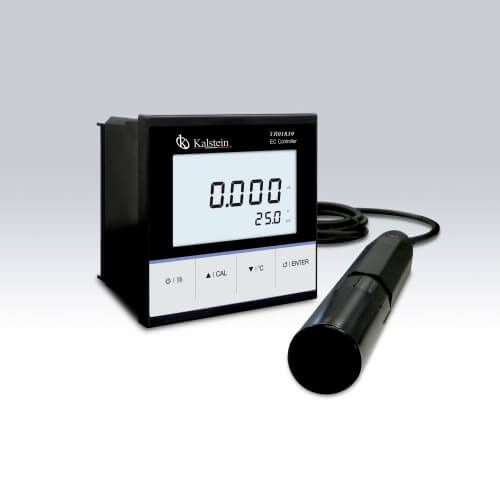
Common Errors and Troubleshooting Symptoms for the YR01839 Conductivity Controller
The YR01839 Conductivity Controller is an essential tool for monitoring water quality through conductivity and total dissolved solids (TDS) measurements. However, like any robust device, it may encounter issues that affect its performance. This guide delves into common symptoms, probable causes, and solutions to diagnose and rectify errors that may arise while using the YR01839.
Understanding the YR01839 Conductivity Controller
The YR01839 is designed for industrial online conductivity measurement with features that allow calibration from one to three points and outputs ranging from 4 to 20 mA. The device is equipped with a platinum conductivity electrode, automatic temperature compensation, and various user-configurable settings. Understanding how the device operates is pivotal for effective troubleshooting.
Technical Specifications of the YR01839
| Model | YR01839 |
|---|---|
| Conductivity Range | 0.01 to 20.00, 200.0, 2000µS/cm, 20.00, 200.0mS/cm |
| Resolution | 0.001, 0.01, 0.1, 1 |
| Accuracy | ±1% F.S. |
| Calibration Points | 1 to 3 points |
| TDS Range | 0 to 10.00, 100.0, 1000ppm, 10.00, 200.0ppt |
| Power Supply | DC24V |
| Dimensions | 96(L)×96(W)×75(H)mm |
| Weight | 350g |
Troubleshooting by Symptoms
Equipment Does Not Power On
If the YR01839 does not power on, check the following:
- Ensure the power supply is connected and functional.
- Inspect for blown fuses or tripped circuit breakers.
- Examine the power cable for any damage.
Solution: Replace faulty cables or fuses and ensure that the power source is active. If the issue persists, consult with technical support.
Error Code E-03
Error code E-03 typically indicates a problem with the conductivity electrode:
- The electrode may be dirty or fouled.
- Calibration may be required.
- A faulty connection could be present.
Solution: Clean the electrode according to manufacturer instructions, recalibrate the device, and ensure all connections are secure.
Inconsistent Readings
Inconsistent readings can arise from various issues:
- Temperature fluctuations affecting measurements.
- Improper calibration settings.
- Probe fouling or damage.
Solution: Verify the calibration settings, clean or replace the probe if needed, and stabilize the temperature of the measuring environment.
Symptom-Cause-Solution Matrix
| Symptom | Probable Causes | Solution |
|---|---|---|
| Equipment Does Not Power On | Faulty power supply, blown fuses, damaged cables | Replace fuses, check cables, ensure power source is active |
| Error Code E-03 | Dirty electrode, calibration needed, faulty connection | Clean electrode, recalibrate, check connections |
| Inconsistent Readings | Temperature fluctuation, improper calibration, probe damage | Stabilize temperature, check calibration, clean/replacement probe |
Frequently Asked Questions
What should I do if my YR01839 shows error codes during operation?
Refer to the user manual for a comprehensive list of error codes and their meanings. Each error code provides insights into specific issues, helping you take the appropriate corrective actions.
How often should I calibrate my YR01839 controller?
Calibration frequency depends on usage, but it is recommended to calibrate the YR01839 at least once every month or before critical measurements to ensure accuracy.
Can I use third-party electrodes with the YR01839?
While third-party electrodes may be compatible, it is advised to use manufacturer-approved electrodes for optimal performance and accuracy.
What environmental conditions should be maintained for the YR01839?
The YR01839 performs best in environments where the temperature is maintained between 0 to 100°C and humidity levels are below 80%. Ensuring these conditions will help prevent performance issues.
How do I clean the conductivity electrode of the YR01839?
To clean the conductivity electrode, gently rinse it with distilled water and use a soft brush or cloth for any residues. Avoid abrasive materials that may damage the electrode surface.
What is the warranty period for the YR01839?
The standard warranty period for the YR01839 is typically one year from the date of purchase. It covers manufacturing defects but does not include damage from misuse or mishandling.
How can I request a quote for the YR01839?
You can easily request a quote for the YR01839 by contacting our sales team through the provided channels. They will assist you in getting the best price and available options.
If you are looking for a fusion of innovation and quality, you have come to the right place. At Kalstein, we offer you the luxury of exploring our exclusive catalog of laboratory equipment. We manufacture every device to the highest standards of excellence. Our intuitive and seamless online purchasing channels are designed for your convenience, securing the most competitive prices. Hesitate no longer — we bring science to life, it is time to become part of our community.